
Login to OSL or if you are using OSL Office, OSL Agent, OSL Commercial, OSL Rural or OSL Business, the basic principles are the same.
TABLE OF CONTENTS
Login
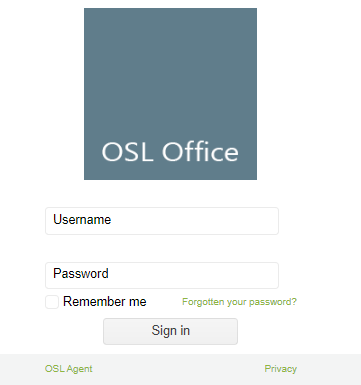
Click here to login
Enter your email address or username and your password and click on the Sign in button.
Logout
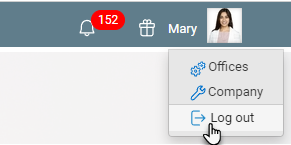
Click on your Name and select Log out
Forgotten Password
If you have forgotten your username or password, click Forgotten password and enter the email address you used to register for OSL Office or OSL Agent.
Alternatively, contact your OSL Office Administrator and ask them to email your login details from:
OSL Office > Staff > OSL User tab
Privacy link
Click on the Privacy link to view our Privacy policy.
Remember me
Click on the Remember Me checkbox to save having to enter your password.
Home page
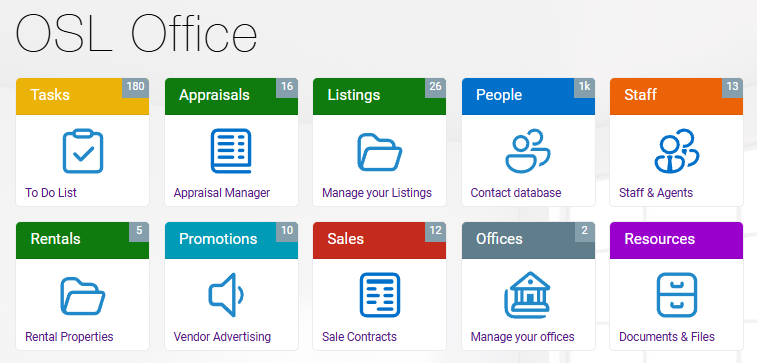
When you login to OSL Office, you will see the Home page or Start page.
Create a short cut to OSL Office or OSL Agent on you phone, tablet and computer.
*RECOMMENDED
The first thing that you should is to create short cuts on all devices that you want to access to OSL Office or OSL Agent.
No one wants to type in an address every-time you want to go to a website so if there is nothing else that you do today create a Shortcut on your home screen on all devices that you want to access OSL Office or OSL Agent on.
Home screen on desktop
OSL Office home screen on mobile
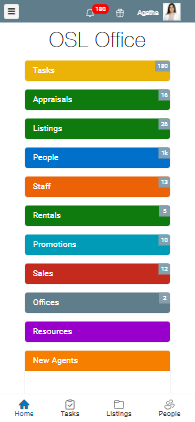
The cards on the OSL Office home page will change depending on the device and subscription that your are using.
NEXT Shortcuts