This is the main screen for your Contact details.
TABLE OF CONTENTS
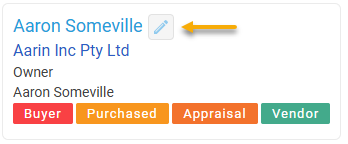
Edit window
Click on the Edit button to edit the contact details
Name
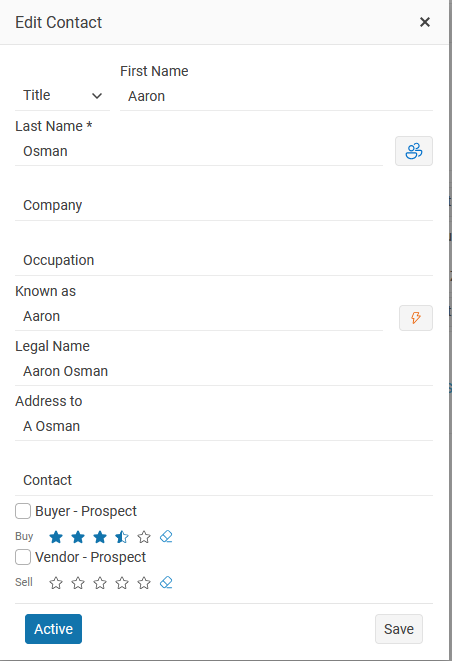
Title, First Name & Last Name & partner’s First name Last name
Company
The Company that the contact works for and their occupation
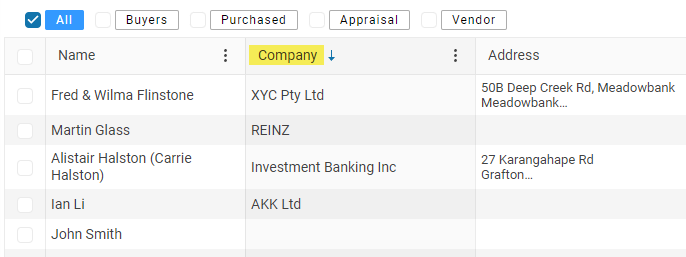
The contact Company column is an option that you can display in your people grid.
Known as
This box is used for how the person is known,
Example First name Jonathan Doe & Judy Doe the known as will be Johnathan & Judy.
Or you can set this box manually or use the autofill button
The Known as is used in email templates and letters e.g. Dear + known as or Hi + known as
Contact
The contact box is used when you want to direct your communication with a specific person.
Example; John Smith is the contact for xyc Pty Ltd
Autofill button
Click on the Auto fill button to create the Legal name, Known as and Address to
Use the auto fill button to automatically update the Known as, Legal, Address to and Contact boxes.
Legal name
The legal name of the Vendor
Buyer
Buyer Prospect - You can set any contact in your database to be a current Buyer
Just click on the Buyer – prospect checkbox
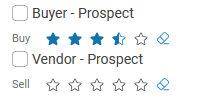
Vendor Prospect - Select this Vendor - Prospect box or when you have created an Appraisal the owner will be automatically added to your database as a Vendor Prospect
Status
Click on the Active button to mark your contact as Archived
Active - Current contact in your database

Archived - When you are no longer working with a contact mark them as Archived

Star rating
Buyer – Prospect Rating
Use the star rating to identify and prioritise your most active buyers. For example, you might assign five stars to your hottest prospects. The rating provides another way to group and filter contacts, and you can use it in whatever way best suits your business.
Vendor – Prospect Rating
Use the star rating to identify and prioritise prospective vendors. For example, you might assign five stars to property owners who are most likely to sell soon. You can use the rating to group and manage prospects according to their level of interest or readiness to sell.
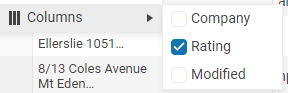
Rating Column
The Rating column is an optional display setting for the People grid. You can add this column to view each contact’s star rating directly from the grid.