

Listing Tags allow you to group and organise your listings using custom tags.
You can create tags for any purpose that suits your business, such as Featured, Auction, Waterfront, Lifestyle, New Listing, or any other category you wish to use.
Tags make it easy to group, filter, and manage listings based on your own requirements.
TABLE OF CONTENTS
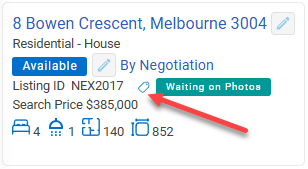
Listing Tags appear on the listing details screen.
Add & Remove Listing Tags
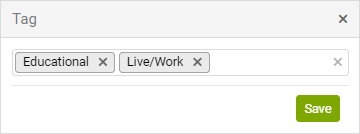
Click on the Tag icon to add or remove tags from your Listing
Listings can have more than one tag
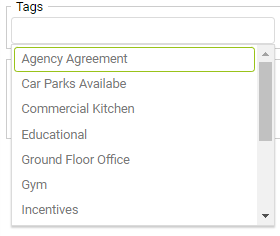
Search by Tags
You can search for listings using the listing tags
the listings > Search page to search for listings with specific tags
Creating new tags
Tags are maintained in Company settings. Contact your Admin user with Company level access to add new tag options.
Settings → Company → Listings → Tag tab more...